


I have now had my Roborock for several months and it has performed flawlessly and consistently. So much so that I no longer want to be notified when a scheduled cleaning starts and stops. However, I would still like to be notified if an issue occurs.
I am running the app on Android and it is not clear from the app's Message Settings as to what to configure to achieve this behavior:
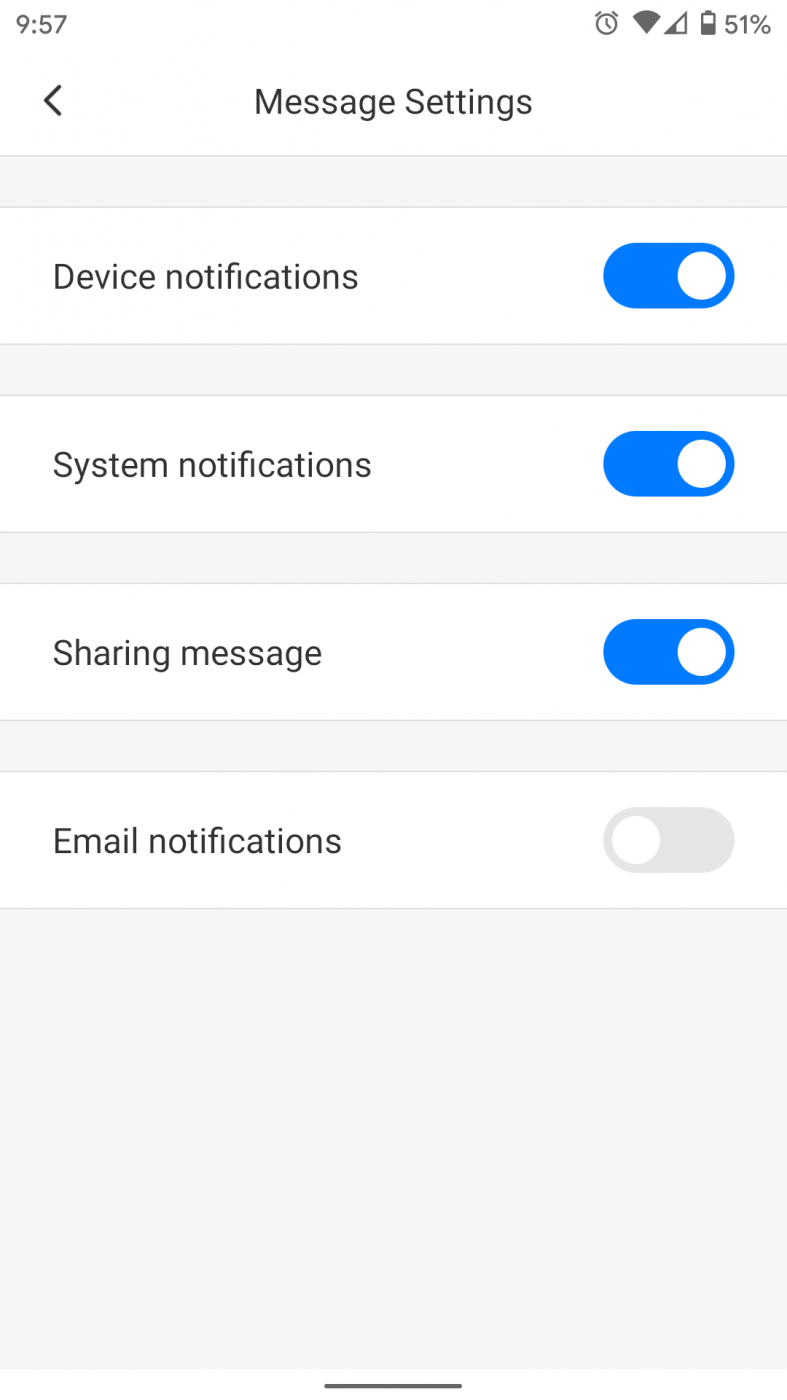
In addition, when I review the Notifications from the app via Android, it's clear which channel is being used to send the notifications, Miscellaneous, but it's not clear if one of the other channels would handle issues or errors:

Any ideas?
Thank you.




Hello,
Thanks for reaching out.
Sorry there is no way to disable the notification of the scheduled cleaning but allow others. We will forward your request to our tech team and hope that they will manage it in the future.
Hi this has been two years, but I have not yet see it implemented...
Really need to be able to disable those schedule cleaning notifications.
Please prioritize this!
These notifications are really annoying!
We are sorry to hear that your device did not work well.
The issue you faced may not be solved in a short answer. We hope we could work with you to locate the cause and address it. Would you please contact us at support@roborock.com(if you are in EU, contact support@roborock-eu.com)so that we can better assist?